
NBI Clearance Online Philippines
Getting an National Bureau of Investigation (NBI) Clearance is an essential step for many Filipinos and foreign residents in the Philippines. Whether you are applying for a job, processing a visa, registering a business, or completing other legal requirements, this document serves as official proof of your criminal record status.
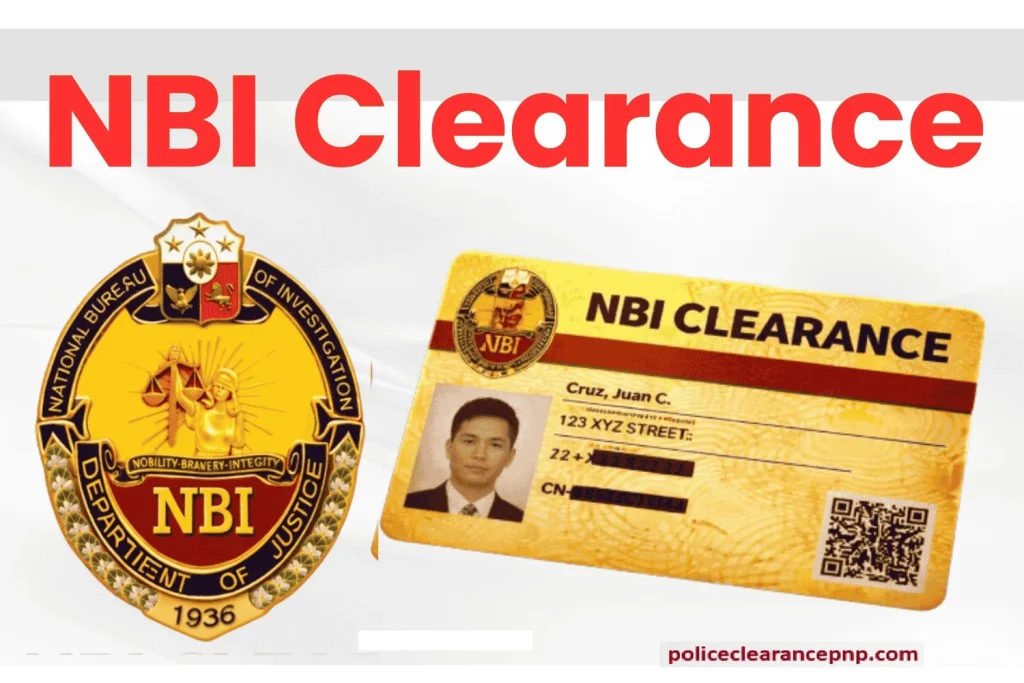
In the past, securing an Phillippine NBI Clearance meant long queues, manual forms, and time-consuming visits to government offices. However, with the launch of the NBI Online Clearance System, the entire process has become faster, more convenient, and fully digital.
This complete guide for 2026 walks you through everything—from online registration and appointment scheduling to payment, biometrics, and release—so you can complete your application smoothly without confusion or delays.
What is NBI Clearance?
An NBI Clearance Online is an official document that confirms you have no criminal record (or indicates if verification is needed). It is widely used for:
- Job applications (local & abroad)
- Visa and immigration processing
- Government requirements
- Business and licensing transactions
How to Register for NBI Clearance Online (Step-by-Step Guide)
Step 1. Proceeding to the Official Link
Go to the official NBI clearance Registration in 2026 website at https://clearance.nbi.gov.ph/ to begin your application. Choose whether you are a first-time job seeker or a regular applicant, and the system will automatically redirect you to the appropriate section based on your selection.
Once you reach your designated category page, the remaining steps of the application process remain the same for all users.
After accessing the site, you will be asked to select your preferred language and accept the terms and conditions. Simply choose your language and click on “I AGREE” to continue.

Note for Regular Applicants:
- You will be prompted to indicate whether you have previously secured an NBI Clearance Login/SignUp from 2014 up to the present. Select “Yes” if you have an existing or past clearance within that period. If not, choose “No.”
- If you select “Yes,” you may be required to enter or verify details from your previous NBI clearance record.
Step 2. Account Registration
After making your selection, you will be directed to the appropriate section of the application process.
If you already have an existing account with login details, you can skip the registration step and move directly to Step 4. Otherwise, you will need to create a new account by completing the registration form.
Fill in all required personal information, including:
- First Name
- Surname
- Date of Birth
- Mobile Number
- Email Address
- Old Clearance Number (if you have an existing NBI record)
Next, tick the box confirming that you have read and accepted the Terms of Service, and also complete the “I am not a robot” verification.
For Regular Candidates:
The image below illustrates the registration section for a regular applicant, whether you have a previous NBI clearance record or are applying for the first time under this category.

Note: If you have previously been issued an Phillippine NBI clearance, select “Yes.” If not, choose “No” and continue with the next step.

Enter your personal information in the required fields and complete the “I’m not a robot” verification, as shown in the image below.

If you do not have a previously issued NBI clearance, select “No.” A new window will appear where you need to fill in the required details. Once completed, click on “Sign Up” to continue.

For 1st Time Job Seekers:
The image below shows the section for first-time job seekers. If you are applying as a first-time job seeker, make sure to access and proceed through the dedicated link provided for this category.

The rest of the process is the same.
Step 3. One-Time Password – OTP Verification
- After clicking “Proceed” at the end of Step 2, a window will appear on your screen asking you to enter a One-Time Password (OTP).
- You will receive this OTP via SMS on the mobile number you provided during the registration process in Step 2.

- Enter the 6-digit OTP you received in the designated field and click “Submit” to continue, as shown in the screenshot below.

Note: The OTP is valid for only 5 minutes. If you fail to enter it within this time, it will expire. In that case, you can click “Resend OTP” to receive a new code and then enter it to proceed.
Step 4. Profile Information Entry
After successful OTP verification, you will be logged into the system and directed to complete your profile in a new window, as shown in the screenshot.
You will need to provide your personal, contact, and additional details, including:
- Full Name (First, Middle, Last)
- Mobile Number
- Email Address
- Gender
- Place of Birth
- Religion
- Nationality
- Marital Status
- Spouse’s Name and Place of Birth (if applicable)
- Current Address
- Father’s Name and Place of Birth
- Mother’s Name and Place of Birth
- Height
- Weight
- Complexion
- Identifying Mark (if any)
- Occupation
- Educational Qualification
Once all required and optional details are filled in, click “Save Information” to proceed to the next step.nal details, click on the “Save Information”.Enter the received 6-digit OTP in the window and click on submit as shown in the screenshot below.

Advice: It is recommended to prepare and note down all required personal details before starting the registration process to prevent any errors or delays during application.
Step 5: Apply for clearance after reviewing/editing the Information
- After saving your information in the previous step, a new window will appear showing a summary of all the details you have entered.
- Carefully review the information to ensure everything is correct. If you notice any errors, you can edit the details before proceeding.
- Once everything is confirmed, click “Apply for Clearance” to continue, as shown in the screenshot below.

Step 6. Selection of the ID
After submitting your clearance application in the previous step, you will be required to select one valid ID as proof of identity.
This chosen ID must be presented in original form to the NBI officials on your appointment day at the selected branch. Make sure the ID matches the information you provided during registration.
For reference, the list of accepted valid IDs has already been provided at the beginning of this guide.
- Select your valid ID from the list provided, then click “I agree” to continue to the appointment scheduling step.

Step 7. Schedule NBI Appointment
If you are a first-time applicant, after completing your registration and final steps on the NBI portal, you must schedule an online appointment for personal appearance at your chosen NBI branch.
On your appointment date, you will need to bring valid IDs, and your biometrics and photograph will be taken at the office.
- Select the nearest or desired Phillippine NBI office or branch from the list.
- Choose the date for the appointment schedule.
- On the scheduled date, the available time slots will be shown, and you need to choose an appropriate time slot for the appointment.
If you face any difficulties during the process, you can refer to a detailed guide on the Phillippine NBI Online Appointment for step-by-step assistance.
- The requirement for physical appearance at an NBI branch applies only to first-time applicants.


Notice!
Physical appearance at an NBI branch is required only for first-time applicants.
For other applicants, there is no need to book an appointment. Instead, they can simply upload their required IDs and photo in the specified format and proceed directly with the submission of their application.
Step 8. Making the Payment Fee
After finishing the previous step, your application will be nearly complete. However, it will only be processed once the required fee has been paid. The only exception is for first-time job seekers, who are exempt from payment.
Payment Options
TSeveral payment options are available, including cash and digital methods. You can choose from the following:
- Bank over-the-counter payment
- Visa or MasterCard
- Online bank transfer
- E-wallets and payment centers (such as GCash, Maya, and 7-Eleven)
If you experience any issues with online payment, you can refer to a detailed payment guide with step-by-step examples using 7-Eleven or GCash for assistance.

- Regardless of the payment method you choose, your reference number is required to successfully confirm your payment. This number serves as your transaction identifier during the payment process.
- For example, in the image below, the applicant selected Bayad Center as the payment option.


Advice: It is highly recommended to keep a copy of your payment receipt, reference number, and either a printed or soft copy of your application form, along with your valid IDs, on your appointment day. While printing the application is optional, the reference number is essential and must be saved for verification.
How to save and print the NBI Clearance online application?
- Log in to the NBI portal using your registered credentials.
- From the left-side menu, select “Transactions.” Your submitted application will be listed there along with its reference number. Click it to open and view the full details, as shown in the first image.
- Then click the “Print” option to save your application as a PDF file.
- Choose a location on your phone or computer to store the file, as shown in the second image below. If a printer is available, you can also print it directly.


Note: For more information, you can refer to the detailed guide on Saving & Printing the NBI Application.
Step 9. Personal Appearance for Biometrics and Photo for 1st timers
Visit your selected NBI branch or office on the scheduled date and time of your appointment.
Only applicants with a confirmed appointment are allowed entry, as walk-in applications are not accepted.
If you miss your appointment date, you are given up to 15 days to reschedule using the same process.
Bring the following requirements:
- Payment receipt
- At least 2 valid government-issued IDs
- Printed copy of your application with reference number (recommended)
At the branch, your documents and application details will be verified by NBI staff. Your biometrics will then be taken, and your photograph will be captured to complete the process.
Reminder: Dress properly and decently when visiting the NBI office. Avoid overly casual attire such as shorts and sleeveless shirts, as these are not allowed.
Step 10. NBI Clearance Releasing/Issuance
The processing time may vary depending on your background check and criminal record verification results.
Clearance Processing With NO HIT
“No Hit” means that your name has no matching criminal record in the database. In this case, your NBI Clearance is usually released on the same day of your appointment.
Once the process is completed, you will simply wait for your name to be called to claim your clearance. However, release time may still vary depending on the volume of applicants being processed.
Clearance Processing With HIT
“Hit” means that your name has a possible match in the criminal database and requires further verification. In such cases, you may be asked to submit additional documents, and the background checking process may take several days before your clearance is released.
The National Bureau of Investigation also offers a clearance delivery service for an additional fee. With this option, you can have your NBI Clearance delivered to your address, eliminating the need to return to the branch for pick-up after approval, whether for a new application or renewal.

The image below shows the specimen of an NBI clearance certificate, which you finally get.

Process Summary
Following info graphics shows you a broader view of the online application process.

Summary of the NBI Online Application Process
Here is your rewritten content in a clean table format:
| Step | Process | Description | Estimated Time |
|---|---|---|---|
| 1 | Visit Official Website | Access the official NBI online portal | 2–3 minutes |
| 2 | Online Registration | Create an account by entering your personal details (if not registered yet) | 6–8 minutes |
| 3 | OTP Verification | Enter the One-Time Password sent to your mobile number or email | 1–2 minutes |
| 4 | Log In | Sign in to your NBI account using your credentials | 2–3 minutes |
| 5 | Fill Application Form | Complete all required personal and background information | 5–8 minutes |
| 6 | Schedule Appointment | Select your preferred NBI branch, date, and time slot | 3–4 minutes |
| 7 | Pay Fee | Complete payment through online banking or authorized payment centers | 5–7 minutes |
| 8 | Branch Visit | Go to the selected NBI branch on your scheduled appointment | Varies |
| 9 | Biometrics & Photo Capture | NBI staff will take your fingerprints and photograph | 20–25 minutes |
| 10 | Clearance Release | No Hit: Same-day release | |
| Hit: Requires further verification (may take 1–3 weeks) | 15–20 minutes |
Who Can Apply?
- Filipino citizens
- Foreign nationals residing or working in the Philippines
NBI Clearance Requirements
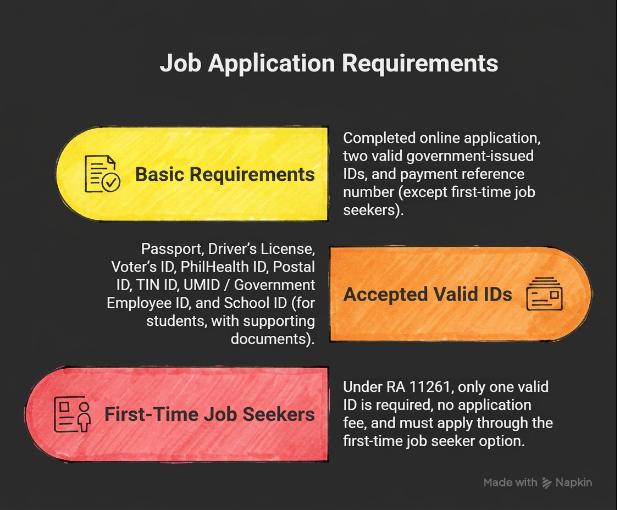
Basic Requirements
- Completed online application
- At least two valid government-issued IDs
- Payment reference number (except first-time job seekers)
Accepted Valid IDs
- Passport
- Driver’s License
- Voter’s ID
- PhilHealth ID
- Postal ID
- TIN ID
- UMID / Government Employee ID
- School ID (for students, with supporting documents)
Special Case: First-Time Job Seekers
Under First Time Jobseekers Assistance Act (RA 11261):
- Only one valid ID may be required
- No application fee
- Must apply through the first-time job seeker option
Key Features of NBI Online System
- Online registration & application
- Appointment scheduling
- Multiple payment options (GCash, banks, 7-Eleven, etc.)
- Easy renewal process
- Nationwide service coverage
Walk-In Application (Not Recommended)
You can still apply manually, but:
- Longer waiting times
- No guaranteed slot
- Less efficient than online process
Common Issues & Solutions
- HIT Status: Wait for verification (5–10 days)
- Payment not reflected: Wait up to 24 hours
- No appointment slots: Try other branches or earlier dates
- Wrong details: Edit before submission or visit branch
Important Tips
- Double-check all information before submitting
- Dress properly during your appointment
- Arrive on time (late arrivals may need rescheduling)
- Keep your reference number safe
Official Contact Information
- Website: https://clearance.nbi.gov.ph
- Email: [email protected]
- Hotline: (632) 8524-8231 to 38
FAQ’s: NBI Online Registration & Clearance Application Guide 2026
1. How to apply for NBI clearance online step by step in 2026?
To apply, visit the official NBI clearance website, register an account, verify your OTP, complete your profile, schedule an appointment, and pay the fee. Then visit your selected branch for biometrics (for first-time applicants).
2. Can I get NBI clearance without going to the office in the Philippines?
If you are renewing your clearance, you may qualify for online renewal with delivery. However, first-time applicants must visit an NBI branch for biometrics.
3. What are the requirements for first-time job seekers NBI clearance 2026?
First-time job seekers need only one valid ID and are exempt from paying fees under RA 11261. They must select the job seeker option during registration.
4. How long does it take to get NBI clearance with no hit in 2026?
If you have “No HIT” status, your clearance is usually released on the same day after biometrics.
5. What should I do if my NBI clearance has a HIT status?
A HIT status requires further verification. You should wait 5–10 working days or follow instructions from the National Bureau of Investigation for additional checks.
6. How to pay NBI clearance using GCash or 7-Eleven in 2026?
Select your preferred payment option during application, generate a reference number, and pay through GCash, Maya, or 7-Eleven. Always keep your receipt and reference number.
7. Can I reschedule my NBI appointment if I miss my schedule?
Yes, you can reschedule your appointment within 15 days using your existing reference number.
8. What are the valid IDs accepted for NBI clearance application in the Philippines?
Accepted IDs include passport, driver’s license, UMID, voter’s ID, PhilHealth ID, and other government-issued IDs.
9. Is walk-in allowed for NBI clearance application in 2026?
Walk-ins are generally not recommended or accepted. You must secure an online appointment before visiting an NBI office.
Conclusion: NBI Clearance Application Guide 2026 & Online Registration
The NBI Clearance online system has significantly improved how applicants process their documents in the Philippines. By shifting from traditional walk-in applications to a streamlined digital platform, the process has become more efficient, organized, and accessible to everyone.
By following the step-by-step instructions in this guide, you can successfully register, book an appointment, complete your payment, and obtain your clearance with minimal hassle. Just remember to prepare your requirements, double-check your details, and secure your reference number to avoid any delays.
Ultimately, whether you are a first-time applicant or renewing your clearance, the key to a smooth experience is preparation and accuracy. With the right approach, getting your NBI Clearance is now quicker and more convenient than ever before.