
Track Your Police Clearance Certificate Online
You’ve completed the process—you registered online, paid the required fee, and showed up at the station for your biometrics. Naturally, you expect to leave with your clearance in hand. But instead, you hear: “You have a hit. Please come back next week.”
Alternatively, you might not even be at that stage yet. Your online status could still be stuck on “Pending” for days, leaving you unsure of what’s happening behind the scenes.
This waiting period is often the most frustrating part of the National Police Clearance process. Unlike online shopping or courier services that provide real-time tracking and updates, government document processing can feel slow and opaque. With limited visibility into your application’s progress, it’s easy to feel like you’re left waiting without answers.
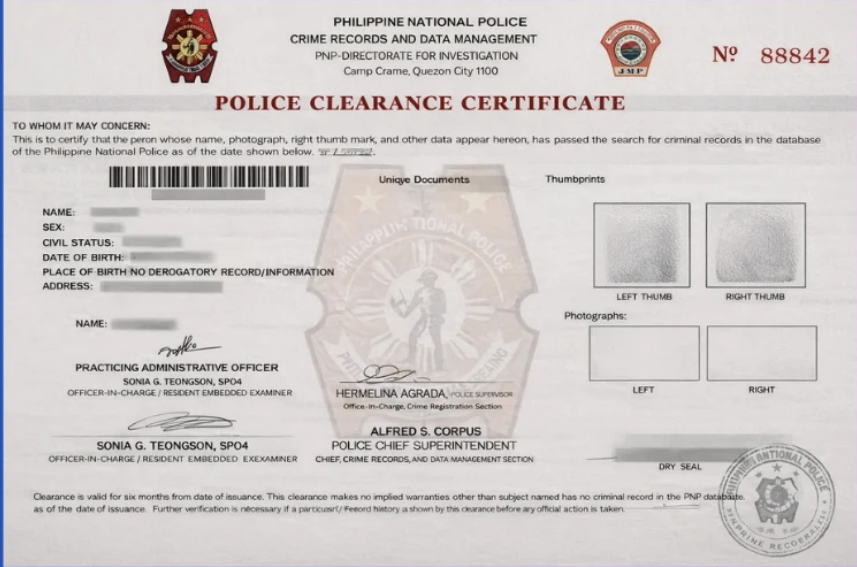
If you’re wondering, “Where is my clearance?” or “What does ‘For Verification’ actually mean?”, this guide is here to give you clarity. It walks you through how to track your police clearance certificate online, explains the different status updates you might see, and shows how to use your reference number to check progress and get accurate information about your application.
What Is a Police Clearance Certificate (and Why It Gets Delayed)?
Before you start tracking your application, it helps to understand what the document actually is. A Police Clearance Certificate is an official record that shows whether you have any criminal history in the Philippine National Police (PNP) database at a given time.
How the process normally works:
If your name is uncommon—for example, something highly unique—the system can quickly confirm that there are no matching records. In such cases, you can receive your clearance in as little as 15 minutes.
Where delays happen:
Problems arise when your name is common, like “Juan Cruz.” The system may flag your application with a “Hit,” meaning it found a possible match in the database. The system cannot automatically tell whether that record belongs to you or someone else with the same name. Because of this, a manual verification is required.
This extra step is the main reason delays occur—and why tracking your application becomes important.
How to Track Your Police Clearance Certificate Online
Unlike some systems (nbi), the National Police Clearance System (NPCS) allows you to monitor your application status online.
Method 1: NPCS Dashboard (Primary Method)
This is the most reliable way to check your status:
- Visit the official portal: https://pnpclearance.ph
- Log in using your registered email and password
- Go to your Transaction History
- Check your application status
Common status updates:
- Pending Payment – Payment hasn’t been made or confirmed
- Paid – Ready for biometrics or processing
- For Verification (Hit) – Under manual review
- Released – Clearance is ready or already claimed
Method 2: NPCS Verification Tool
If you already have your clearance and want to verify its authenticity:
- Go to: https://pnpclearance.ph/verify
- Enter your Police Clearance Number
- The system will display the associated details (name and photo)
Requirements for Tracking Your Clearance
To successfully track your application, you need the following:
1. Reference Number
- A unique number generated during appointment booking
- Found on your receipt, email confirmation, or dashboard
- Required when contacting support
2. Police Clearance ID Number
- Your personal ID within the system
- Usually printed on the certificate or visible in your account
3. Active NPCS Account
- You must be able to log in
- Reset your password if needed—tracking isn’t possible without account access
Why Tracking Your Application Matters
Checking your status regularly can save you time and effort:
- Peace of mind: Know whether your clearance is delayed or ready
- Early issue detection: Spot payment errors or system glitches quickly
- Avoid unnecessary trips: No need to visit the station if your status hasn’t changed
Common Tracking Issues (and How to Fix Them)
Issue 1: “Record Not Found”
- Cause: Incorrect reference number or wrong system
- Solution: Double-check your number and ensure you’re using the official website
Issue 2: Stuck on “Pending Payment”
- Cause: Payment processing delay (e.g., GCash or Landbank)
- Solution: Wait 24 hours before taking action. If unresolved, bring your receipt to the station
Issue 3: “For Verification” (Hit)
- Cause: Name match in the system
- Solution: Wait 5–10 working days for manual verification
What to Do If Your Clearance Is Delayed
If your application remains under verification for more than 10 working days:
- Visit the police station where you applied
- Bring your reference number and valid ID
- Ask for assistance from the appropriate officer (such as DIDM personnel)
Helpful tip:
Sometimes the clearance is already processed but not updated in the system. A quick visit can help resolve this.
Customer Support Options
If you encounter technical issues:
- Hotline: (02) 723-0401 local 8815
- Website: Use the “Contact Us” form
- Social Media: Official PNP pages may respond to inquiries
Reality Check: How “Tracking” Actually Works
The system doesn’t provide real-time updates like a delivery tracker. It simply shows major progress points:
Paid → Processing → Released
Practical advice:
- If you have no hit, tracking isn’t necessary—you’ll get your clearance quickly
- If you have a hit, check once daily after the fifth day
- Don’t rely on SMS notifications—log in to your account instead
Frequently Asked Questions (FAQs): How to Track Your Police Clearance Certificate Online
1. How can I track my police clearance certificate online?
You can track your application by logging into the official NPCS portal at https://pnpclearance.ph. Once logged in, go to your Transaction History to view your current status.
2. What does “Pending Payment” mean?
This status means your payment has not yet been confirmed. It could be because you haven’t paid or the system hasn’t processed your payment yet. Wait up to 24 hours before taking action.
3. What does “Paid” status indicate?
“Paid” means your payment has been successfully recorded, and your application is ready for processing or your scheduled biometrics appointment.
4. What does “For Verification” or “Hit” mean?
This means your name matched a record in the database. It doesn’t automatically mean you have a criminal record—it simply requires manual verification to confirm your identity.
5. How long does it take to clear a “Hit” status?
Manual verification typically takes 5 to 10 working days. In some cases, it may take longer depending on the volume of applications.
6. Can I track my police clearance using my name only?
No. You need to log in to your account or use your reference number. The system does not allow tracking by name alone for security and accuracy reasons.
7. Where can I find my police clearance reference number?
Your reference number is provided when you book your appointment. You can find it in your confirmation email, payment receipt, or NPCS dashboard.
8. What should I do if my status is stuck on “Pending Payment” even after paying?
Wait at least 24 hours for the system to update. If it still doesn’t change, bring your payment receipt to the police station for manual verification.
9. Why does my status say “Record Not Found”?
This usually happens due to an incorrect reference number or if you’re using the wrong system. Double-check your details and ensure you’re on the official website.
Conclusion
Tracking your Police Clearance Certificate online is straightforward as long as you have your login details and reference number. While delays caused by “Hits” are sometimes unavoidable, the online system still offers better visibility than before.
Your action plan:
- Keep your reference number safe
- Check your status regularly through the official portal
- Visit the station if delays exceed 10 days
Staying informed helps you avoid unnecessary stress—and ensures you get your clearance as efficiently as possible.