
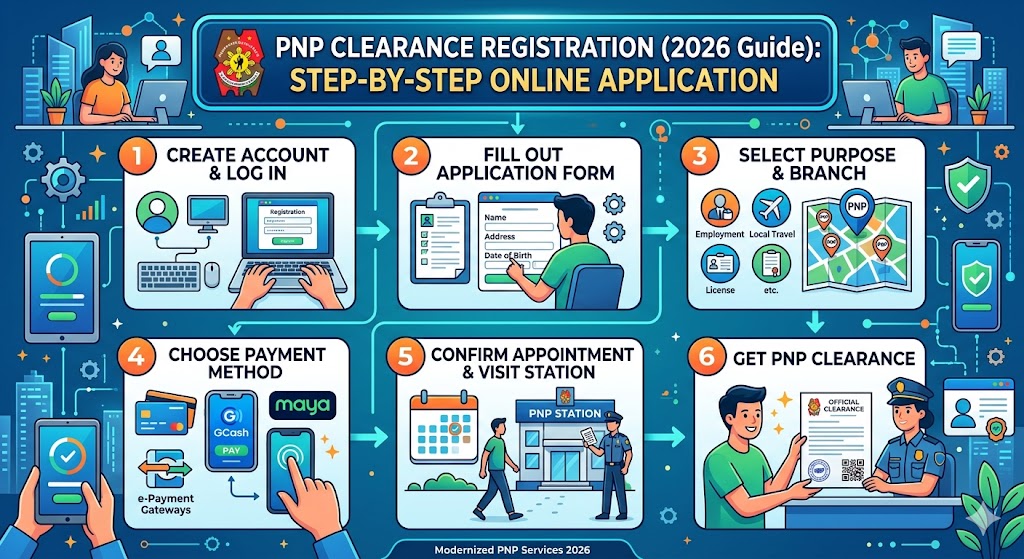
PNP Clearance Registration is the first and most important step in applying for a National Police Clearance in the Philippines. Through the PNP Clearance Online System (NPCS), applicants can create an account, complete their personal profile, and schedule an appointment for biometrics at their chosen police station. This digital process helps speed up verification, reduce long queues, and improve the accuracy of background checks.
Whether you are applying for employment, travel requirements, business permits, or government documentation, understanding the correct PNP Clearance registration process is essential to avoid delays and errors.
Related – PNP Clearance Login Guide
What is PNP Clearance Registration?
PNP Clearance Registration refers to the process of creating an account on the official PNP Clearance website (NPCS portal). This account allows users to:
- Apply for National Police Clearance
- Book a police station appointment
- Upload personal information and valid IDs
- Pay clearance fees online
- Track application status
Without registration, you cannot proceed to booking or biometrics.
How to Register for PNP Clearance Online (Step-by-Step)
Follow these simple steps to complete your PNP Clearance online registration successfully:
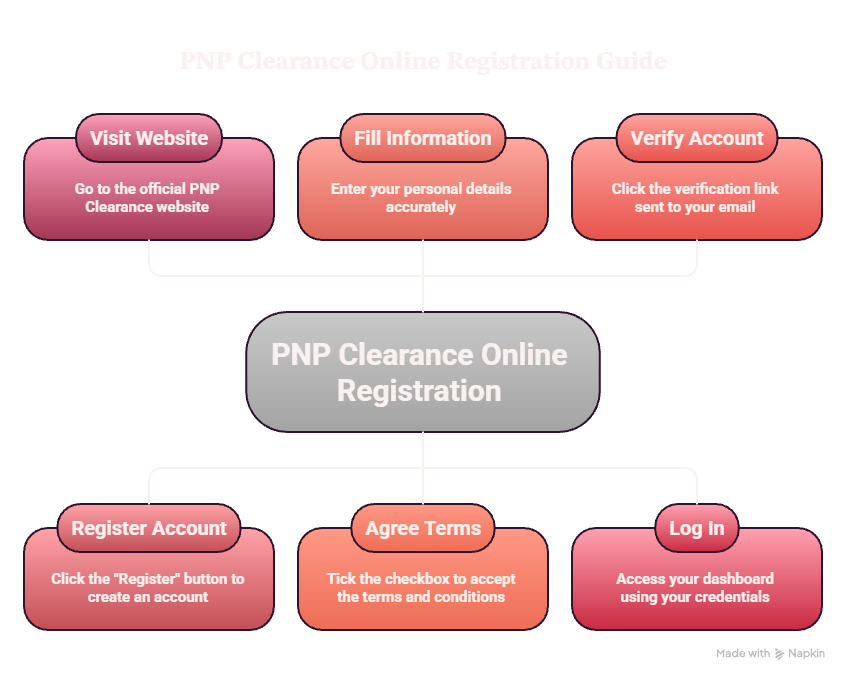
Step 1: Visit the Official PNP Clearance Website
Go to the official portal: https://pnpclearance.ph
Make sure the website ends in “.ph” to avoid fake or scam websites.
Step 2: Click “Register”
On the homepage, click the Register button to create a new account.
Step 3: Fill Out Personal Information
Enter your basic details carefully, including:
- Full name (must match your valid ID)
- Email address
- Mobile number
- Gender
- Password creation
👉 Tip: Use an active Gmail or Yahoo email to ensure you receive verification messages.
Step 4: Agree to Terms and Conditions
Tick the checkbox to accept the PNP Clearance Terms and Conditions, then proceed.
Step 5: Verify Your Account
Check your email inbox (and spam folder) for a verification link from NPCS.
Click the link to activate your account.
Step 6: Log in to Your Account
After verification, log in using your registered email and password to access your dashboard.\
Completing Your PNP Clearance Profile
After registration, you must complete your profile before booking an appointment.
You will be required to enter:
- Personal information (height, weight, address)
- Family details (parents’ names, spouse if applicable)
- Valid identification details
- Upload a recent 2×2 ID photo
👉 Important: Incorrect or mismatched information may cause delays or application rejection.
Common Mistakes During Registration
Avoid these errors when creating your PNP Clearance account:
- Using incorrect email address
- Entering mismatched ID details
- Not verifying email account
- Uploading invalid or unclear photo
- Forgetting password after registration
These mistakes are one of the main reasons applicants fail to proceed with their clearance application.
Why PNP Clearance Registration is Important
Completing your registration properly ensures:
- Faster processing of clearance
- Secure identity verification through biometrics
- Easy appointment scheduling
- Access to online payment system
- Reduced chances of errors or rejection
The system is designed to improve security and make background verification more reliable across the Philippines.
Final Thoughts
PNP Clearance Registration is a simple but crucial step in obtaining your Police Clearance in the Philippines. By following the correct online process—registering on the official NPCS portal, completing your profile, and verifying your account—you can smoothly proceed to appointment booking and biometrics without delays.
Always ensure your information is accurate and your documents are valid to avoid issues during the verification process.